Introduction
Troubleshooting common issues with thermal receipt printers is a skill every business owner needs. If your receipt printer suddenly stops working during a busy checkout, prints faded receipts, or refuses to connect, you’re not alone. These frustrations affect thousands of retail stores, restaurants, and small businesses every day.
Thermal receipt printers are essential tools for modern business operations. When they malfunction, they can slow down transactions and frustrate customers. The good news? Most thermal printer problems have simple solutions that don’t require a technician.
In this guide, you’ll learn how to diagnose and fix the most common thermal printer issues quickly. Whether you’re dealing with paper jams, connectivity problems, or poor print quality, these proven solutions will get your printer working again.
What Is Troubleshooting Common Issues With Thermal Receipt Printers?
Troubleshooting common issues with thermal receipt printers means identifying and fixing problems that prevent your printer from working properly. Thermal receipt printers use heat to create images on special thermal paper. Unlike traditional inkjet or laser printers, they don’t need ink cartridges or toner.
These printers are popular in retail, hospitality, and healthcare because they’re fast, quiet, and low-maintenance. They print receipts, tickets, labels, and order slips in seconds.
There are two main types:
Direct thermal printers apply heat directly to specially coated paper. The printed receipts can fade over time when exposed to heat or sunlight.
Thermal transfer printers use a heated ribbon to transfer ink onto paper. These create longer-lasting prints but require ribbon replacements.
Most businesses use direct thermal printers because they’re more affordable and easier to maintain. However, both types can experience similar problems that need troubleshooting.
7 Proven Methods for Troubleshooting Common Issues With Thermal Receipt Printers
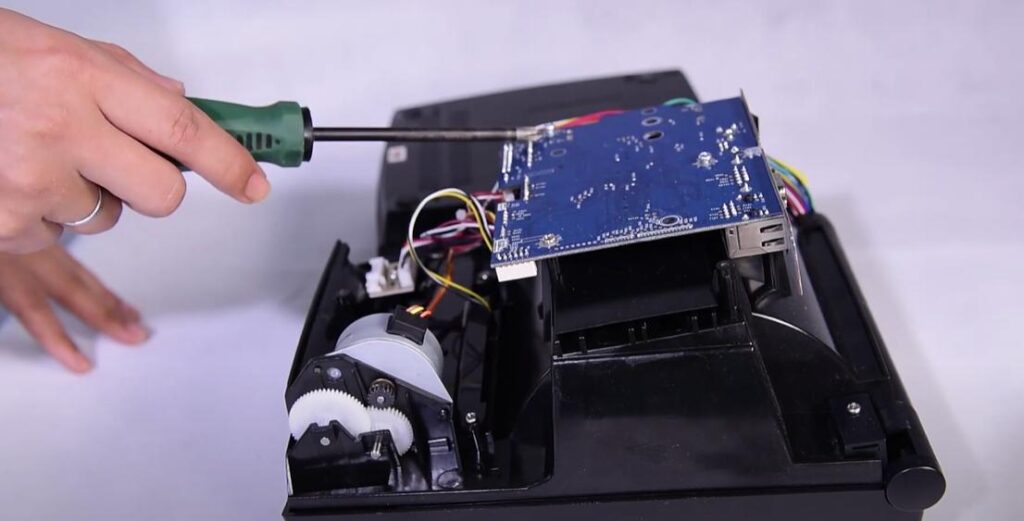
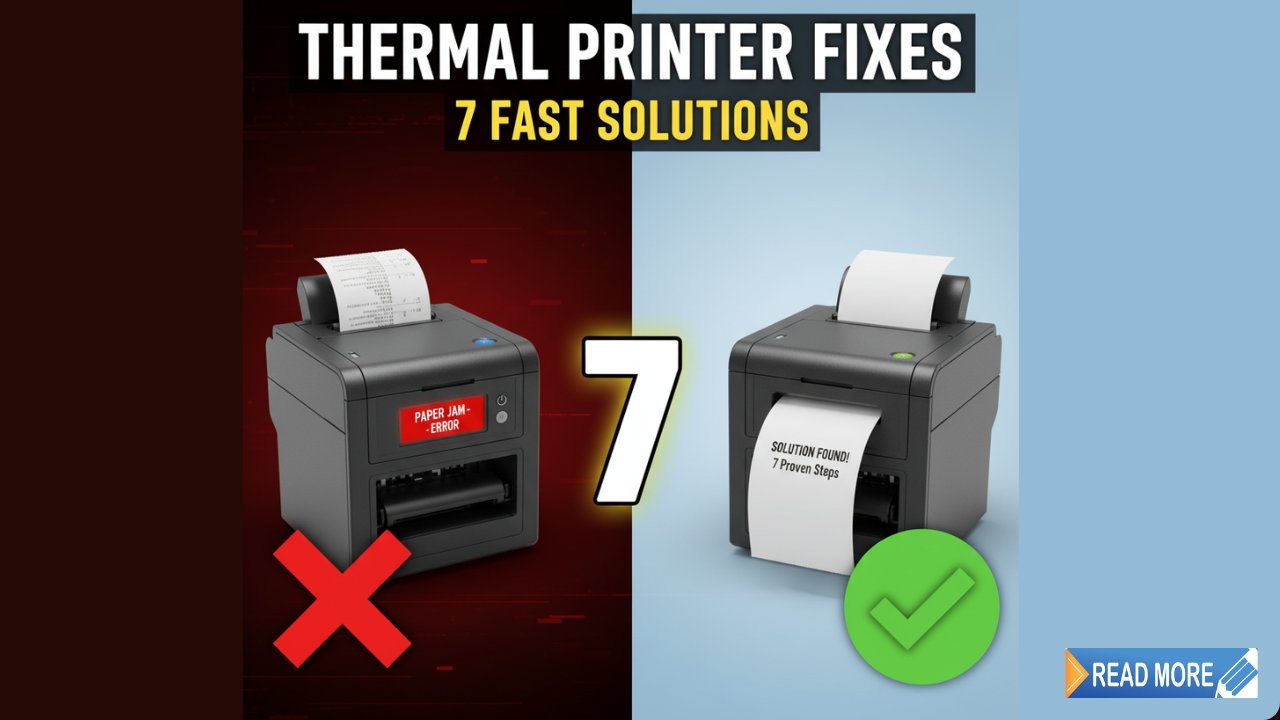
1. Troubleshooting Common Issues With Thermal Receipt Printers: Paper Jams
Paper jams are one of the most frequent problems when troubleshooting common issues with thermal receipt printers. They happen when paper gets stuck inside the printer mechanism or loads incorrectly.
How to fix it:
Open the printer cover and remove any jammed paper carefully. Pull it out slowly to avoid tearing pieces inside the printer.
Check that you’re using the correct paper size. Thermal receipt paper typically comes in 80mm or 58mm widths. Using the wrong size causes feeding issues.
Load the paper roll correctly. The paper should unroll from the bottom of the roll, not the top. Make sure it feeds straight into the printer slot.
Clean the paper path with a soft cloth. Dust and paper residue can build up and cause friction.
Adjust the paper guides so they’re snug but not too tight against the paper roll.
2. Troubleshooting Common Issues With Thermal Receipt Printers: Faded or Blank Prints
When troubleshooting common issues with thermal receipt printers, faded or blank receipts are a common complaint. The issue usually involves the print head, paper quality, or printer settings.
How to fix it:
First, check your thermal paper. Old or low-quality paper won’t react properly to heat. Test with fresh, high-quality thermal paper.
Clean the print head with isopropyl alcohol and a lint-free cloth. A dirty print head can’t transfer heat effectively. Let it dry completely before testing.
Adjust the print density settings in your printer software. Increase the darkness level if receipts look too light.
Check the print head temperature. If it’s not heating properly, the printer may need professional repair.
Replace the paper roll if it’s been sitting unused for months. Thermal paper degrades over time.
3. Troubleshooting Common Issues With Thermal Receipt Printers: Connectivity Problems
Connectivity errors are critical when troubleshooting common issues with thermal receipt printers. Your printer might show as offline, fail to respond, or lose connection randomly.
How to fix it:
For USB printers, try a different USB port or cable. Bad cables cause most USB connection problems.
For network printers, verify the IP address settings. Print a network configuration page from the printer menu to confirm the correct IP.
Restart both the printer and your computer or POS system. This simple step fixes many communication errors.
Update or reinstall the printer driver. Download the latest driver from the manufacturer’s website like Star Micronics or Epson.
Check your firewall settings. Sometimes security software blocks printer communication.
For Bluetooth printers, unpair and repair the device. Make sure no other devices are connected simultaneously.
4. Troubleshooting Common Issues With Thermal Receipt Printers: Slow Print Speed
Slow printing is another problem when troubleshooting common issues with thermal receipt printers. It creates bottlenecks during busy periods.
How to fix it:
Reduce the print quality settings. High-resolution printing takes longer but isn’t necessary for most receipts.
Clear the print queue. Too many pending jobs slow down the current print job.
Close unnecessary programs on your POS system. Low memory affects printing speed.
Update your printer firmware. Manufacturers release updates that improve performance.
Check for network congestion if using a network printer. Heavy traffic slows down data transfer.
Replace the print head if it’s worn out. Old print heads work slower and produce poor quality.
5. Troubleshooting Common Issues With Thermal Receipt Printers: Cutter Malfunctions
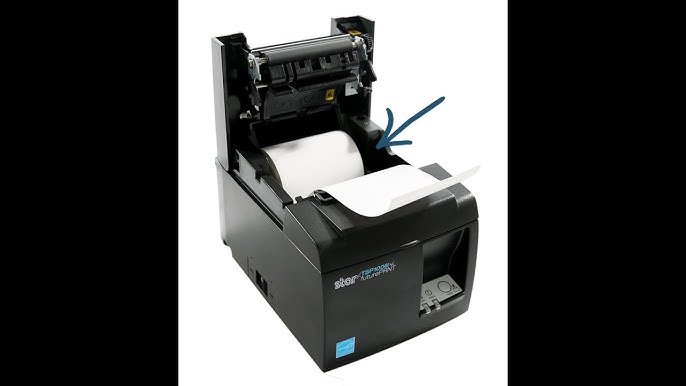
Cutter problems often arise when troubleshooting common issues with thermal receipt printers. The auto-cutter helps create clean receipt edges but can malfunction.
How to fix it:
Clean the cutter blade carefully. Paper dust builds up and prevents clean cuts.
Check for paper bits stuck in the cutting mechanism. Remove them with tweezers.
Test the manual cut function from the printer menu. This helps identify if it’s a hardware or software issue.
Adjust the cutter settings in your POS software. You can set it to full cut or partial cut.
Don’t overload the paper roll. Too much pressure on the mechanism causes cutting failures.
If the blade is dull or damaged, contact the manufacturer for replacement parts.
6. Troubleshooting Common Issues With Thermal Receipt Printers: Power Failures
Power problems are serious when troubleshooting common issues with thermal receipt printers. They prevent your printer from turning on or cause unexpected shutdowns.
How to fix it:
Check the power cable connections at both ends. Loose connections cause intermittent power issues.
Test the power outlet with another device to confirm it’s working.
Inspect the power adapter for damage. A failing adapter won’t supply consistent power.
Look for blown fuses if your printer has replaceable fuses.
Avoid using extension cords or power strips. Plug directly into a wall outlet when possible.
Check the power switch on the printer. It may be stuck or damaged.
7. Troubleshooting Common Issues With Thermal Receipt Printers: Print Alignment Errors
Alignment issues appear frequently when troubleshooting common issues with thermal receipt printers. Misaligned text, cut-off logos, or distorted receipts indicate problems.
How to fix it:
Run the printer’s self-test page. This helps identify if the problem is hardware or software related.
Adjust margin settings in your receipt template or POS software.
Check paper roll alignment. The paper should feed straight, not at an angle.
Clean all rollers with isopropyl alcohol. Dirty rollers cause uneven paper feeding.
Calibrate the printer using the manufacturer’s utility software.
Update your receipt template if logos or text appear cut off.
Best Tools for Troubleshooting Common Issues With Thermal Receipt Printers

When troubleshooting common issues with thermal receipt printers, having the right tools makes maintenance easier:
Cleaning supplies: Use isopropyl alcohol (at least 70%) and lint-free cloths for cleaning the print head and rollers.
Thermal paper tester: Check paper quality by scratching it with your fingernail. Good thermal paper will show a dark mark.
Spare parts: Keep extra paper rolls, power adapters, and cables in stock.
Maintenance kit: Some manufacturers offer kits with cleaning cards, swabs, and lubricants specifically designed for their printers.
Clean your thermal printer every 30 days or after printing 10,000 receipts. Regular maintenance extends printer life and prevents unexpected failures.
Common Mistakes When Troubleshooting Common Issues With Thermal Receipt Printers
Many people make these errors when troubleshooting common issues with thermal receipt printers:
Using regular paper instead of thermal paper: Regular paper won’t work in thermal printers. Always use thermal-sensitive paper designed for your specific printer model.
Cleaning the print head while hot: Never clean the print head immediately after printing. It can burn you and damage the thermal element. Wait at least 10 minutes for cooling.
Forcing jammed paper: Yanking hard on stuck paper can damage internal components. Remove it gently in the direction of paper flow.
Ignoring error messages: Don’t just turn the printer off and on. Read error codes and address the specific problem.
Using harsh chemicals: Never use acetone, bleach, or abrasive cleaners. They damage the print head coating.
Skipping firmware updates: Old firmware causes compatibility issues with newer POS systems and operating systems.
Storing thermal paper incorrectly: Keep paper rolls in cool, dry places away from direct sunlight. Heat and humidity ruin thermal paper.
FAQs About Troubleshooting Common Issues With Thermal Receipt Printers
Why is my thermal receipt printer printing blank receipts?
When troubleshooting common issues with thermal receipt printers, blank receipts usually mean you’re using regular paper instead of thermal paper, or the thermal paper is loaded upside down. Check that the paper’s coating faces the print head.
How often should I clean my thermal receipt printer?
For troubleshooting common issues with thermal receipt printers effectively, clean your printer every month during normal use, or weekly in dusty environments. Clean the print head after every 10,000 receipts or whenever print quality decreases.
Can I use any thermal paper in my receipt printer?
No. When troubleshooting common issues with thermal receipt printers, using the wrong paper is a common problem. Thermal paper comes in different widths, thicknesses, and quality grades. Check your printer specifications for the correct paper size.
Why does my thermal receipt printer keep disconnecting?
When troubleshooting common issues with thermal receipt printers, frequent disconnections often result from loose cables, outdated drivers, or network issues. Try a different cable or port, and update your printer drivers.
Conclusion
Troubleshooting common issues with thermal receipt printers becomes easier when you understand the basic problems and solutions. Most issues stem from paper quality, dirty components, or simple connectivity problems that you can fix yourself.
Start with the basics when troubleshooting common issues with thermal receipt printers: check paper loading, clean the print head regularly, and verify all connections. These simple steps solve 80% of thermal printer problems without professional help.
Remember that prevention is better than cure when troubleshooting common issues with thermal receipt printers. Maintain your printer monthly, use quality thermal paper, and keep firmware updated.
If problems persist after troubleshooting common issues with thermal receipt printers using these solutions, contact your printer manufacturer’s support team or a qualified technician.
Keep this guide handy for quick reference. Mastering troubleshooting common issues with thermal receipt printers means less disruption to your business operations and happier customers.
Printer Wake Up Delay: Why Your Printer Takes Forever to Start (Quick Fixes) Read More