Introduction
So, how long should a printer last? If you’ve recently bought a printer or you’re frustrated with your current one breaking down, you’re probably asking this exact question.
Here’s the honest answer: most printers should last between 3 to 5 years with regular use. But that’s just the average. Some printers die after 18 months, while others keep printing strong for 10+ years.
The real question isn’t just about how long printers typically last. It’s about what YOU can do to make yours last longer and how to know when it’s actually time to replace it instead of pouring more money into repairs.
In this guide, I’ll walk you through everything you need to know about printer lifespan, practical maintenance tips anyone can do, and clear signs that it’s time to upgrade. Let’s help you get the most value from your printer investment.
What Is Printer Lifespan and What Affects It?
Printer lifespan refers to how long a printer can function effectively before it needs replacement. But it’s not just about time—it’s about print volume, quality, and cost-effectiveness.
The Average Lifespan by Printer Type:
Inkjet printers typically last 3-5 years or around 3,000-5,000 pages. These are the printers most people have at home. They’re affordable upfront but can be expensive to maintain.
Laser printers usually last 5-10 years or 20,000-100,000+ pages depending on the model. Business-grade laser printers are built tougher and handle higher volumes. That’s why offices prefer them.
All-in-one printers fall somewhere in between, lasting 3-7 years. Since they’ve got more moving parts (scanner, copier, fax), there’s more that can break down.
What Really Determines How Long Your Printer Lasts:
Print volume matters more than age. A printer sitting unused for 5 years might actually have problems (dried ink, stuck parts) compared to one that prints regularly but moderately.
Print quality and environment play huge roles too. Dust, humidity, and temperature extremes all damage printers. A printer in a dusty garage won’t last as long as one in a clean office.
Brand and build quality can’t be ignored. A $50 budget printer isn’t built like a $300 professional model. You generally get what you pay for in terms of durability and lifespan.
7 Proven Ways to Extend Your Printer’s Lifespan
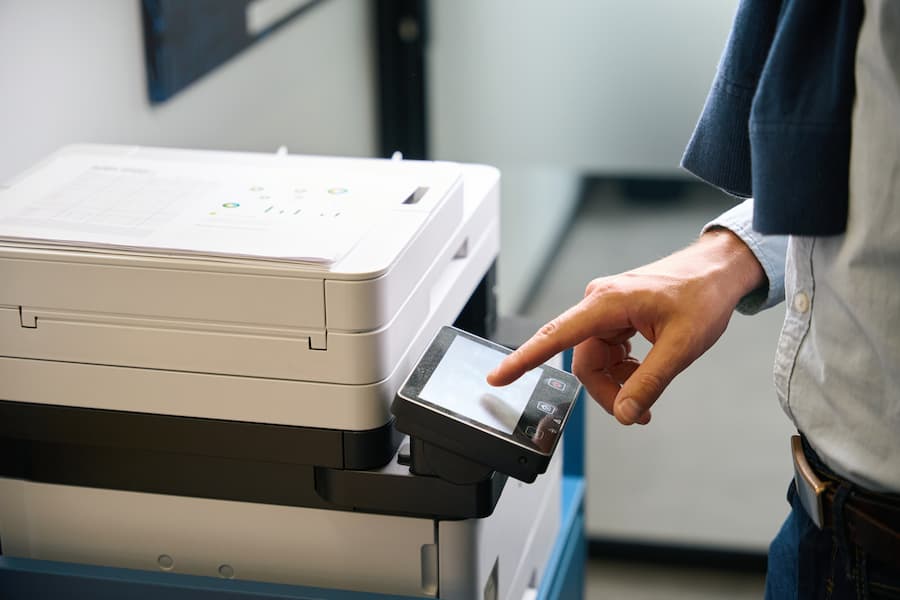
Want to maximize how long your printer lasts? These strategies actually work and don’t require technical expertise.
1. Use Your Printer Regularly (But Not Excessively)
Sounds weird, right? But printers need regular use to stay healthy.
Print at least 5-10 pages per week even if you don’t need to. This keeps ink flowing and prevents nozzles from clogging. Inkjet printers especially suffer when they sit unused for weeks.
On the flip side, don’t overwork your printer. If it’s rated for 1,000 pages per month and you’re printing 3,000, you’re killing it fast. Check your printer’s duty cycle (the manufacturer’s recommended monthly volume) and stay within it.
2. Keep Your Printer Clean
Dust is a printer’s worst enemy. It gets into mechanisms, clogs vents, and causes overheating.
Clean the exterior weekly with a soft, dry cloth. For the interior, open it up monthly and gently remove dust with compressed air. Don’t touch sensitive components like rollers or print heads with your fingers.
The paper path needs attention too. Remove any torn paper bits and clean the rollers with a slightly damp cloth every few months. Dirty rollers cause paper jams, which stress the entire system.
3. Use Quality Paper and Ink
Cheap paper causes more problems than you’d think. It creates more dust, jams more often, and can even damage your print heads.
Stick with paper that meets your printer’s specifications. Usually, 20lb (75gsm) paper works great for most home and office printing. Avoid recycled paper unless your printer specifically supports it.
For ink and toner, here’s the controversial part: third-party cartridges can work fine, but they’re a gamble. Some are excellent and save you money. Others leak, clog print heads, or produce poor quality prints. If you’re trying to extend printer lifespan, genuine or high-quality compatible cartridges are safer bets.
4. Update Firmware and Drivers Regularly

Most people never think about this, but outdated firmware causes performance issues and bugs.
Check your printer manufacturer’s website every 3-6 months for updates. Most modern printers can update automatically if you enable that feature. Updates often include fixes that prevent hardware problems and improve efficiency.
Driver updates matter too. When you update your computer’s operating system, make sure your printer drivers are compatible. Mismatched drivers can force your printer to work harder than necessary.
5. Manage Print Settings Smartly
Your print settings directly impact wear and tear on components.
Use draft mode for internal documents. It uses less ink and puts less stress on print heads. Save high-quality settings for important documents only.
Print in grayscale when color isn’t needed. This extends the life of color cartridges and reduces the workload on color printing mechanisms.
Enable duplex (double-sided) printing if your printer supports it. Contrary to what you might think, this doesn’t wear out your printer faster. It actually reduces overall paper handling and can extend component life.
6. Control the Environment
Where you keep your printer matters more than most people realize.
Keep it in a room with stable temperature (60-80°F or 15-27°C). Extreme heat or cold damages internal components and affects ink viscosity.
Humidity should be moderate (40-60%). Too dry and you get static electricity issues. Too humid and you risk mold, rust, and paper problems.
Keep it away from direct sunlight, heating vents, and air conditioners. Also, don’t place it directly on carpet where it can’t ventilate properly.
7. Turn It Off Properly
Never just unplug your printer or flip off the power strip while it’s on.
Always use the power button to shut down. This allows the printer to park the print head properly and seal cartridges. Sudden power loss can leave print heads exposed, causing them to dry out and clog.
If you’re not printing for several days, turning it off is fine. But for normal daily breaks, leaving it on or in sleep mode is actually better for inkjet printers.
Additional Tools and Resources to Monitor Printer Health

Modern printers come with built-in diagnostics that most people never use.
Printer Software and Apps:
Most manufacturers offer companion apps (HP Smart, Epson iPrint, Canon PRINT) that show ink levels, maintenance alerts, and print history. Install these and actually check them monthly.
Some printers display page counts on their LCD screens. Keep track of this number. If you’re approaching the rated duty cycle or page yield, you’ll know your printer has served its purpose.
Maintenance Utilities:
Run your printer’s built-in cleaning cycles when needed, but don’t overdo it. Most inkjet printers should run a cleaning cycle every 2-4 weeks if you’re printing regularly. Running it too often wastes ink.
Alignment tools ensure optimal print quality. Run alignment checks every few months or whenever you notice quality declining.
External Resources:
Manufacturer websites have support pages specific to your model. Bookmark yours for troubleshooting guides and maintenance schedules.
For technical issues beyond basic maintenance, sites like PCMag’s printer reviews and guides offer expert insights on printer longevity and maintenance best practices.
Common Mistakes That Shorten Printer Lifespan

Even well-intentioned printer owners make these errors that drastically reduce how long their printers last.
Ignoring Warning Messages:
That “low ink” warning? It’s not just a suggestion. Printing with empty cartridges damages print heads, especially in inkjet printers. The ink actually cools and lubricates the print head. No ink = overheating and permanent damage.
Maintenance reminders aren’t optional either. If your printer says it needs a maintenance kit or service, pay attention. These alerts are based on actual usage data.
Using the Wrong Paper:
Thick cardstock in a printer rated for standard paper causes jams and motor strain. Photo paper in a regular document printer clogs nozzles with coating residue.
Always check your printer’s specifications for supported paper types and weights. When in doubt, stick with standard copy paper.
Letting It Sit Unused:
This might be the biggest mistake home users make. You buy a printer, use it occasionally, then wonder why it doesn’t work six months later.
Ink dries in the nozzles. Mechanical parts seize up. Firmware gets outdated. If you’re not printing at least weekly, you’re shortening your printer’s lifespan.
Forcing Paper Jams:
When paper jams, many people yank it out forcefully. Bad idea. This bends rollers, damages sensors, and misaligns paper paths.
Always follow your printer’s manual for clearing jams. Usually, this means opening specific access doors and pulling paper slowly in the direction it normally travels.
Refilling Cartridges Improperly:
DIY refill kits seem like money-savers, but they often cause more harm than good. Overfilling leaks ink into the printer’s internals. Using the wrong ink type damages print heads.
If you must refill, invest in quality refill kits designed for your specific cartridge. Better yet, buy compatible cartridges from reputable third-party manufacturers.
Skipping Regular Maintenance:
Printers need maintenance like cars need oil changes. Skipping it means problems compound until something breaks.
Set calendar reminders for monthly cleaning and quarterly deep maintenance. It takes 10 minutes and can add years to your printer’s life.
When Should You Replace Your Printer?
Knowing when to repair versus replace is crucial. Sometimes, clinging to an old printer costs more than buying new.
Signs It’s Time to Replace:
Frequent breakdowns are the clearest sign. If you’re repairing something every few months, the total repair costs quickly exceed a new printer’s price.
Poor print quality that doesn’t improve with cleaning, alignment, or new cartridges means internal components are failing. Faded prints, streaks, or color shifts that won’t go away indicate worn-out print heads or drums.
Rising operating costs matter too. If you’re spending $30-40 per month on ink for minimal printing, you might save money with a more efficient model. Calculate your cost per page—if it’s above $0.15 for black and white or $0.50 for color, you’re spending too much.
Technology has simply moved on. If your printer lacks wireless connectivity, cloud printing, or mobile support and these features matter to you, upgrading makes sense.
The manufacturer no longer supports your model. When you can’t find drivers for current operating systems or replacement parts aren’t available, it’s time.
The Repair vs. Replace Math:
If the repair costs more than 50% of a new printer’s price, replace it. If your printer is over 5 years old and needs repairs, replacement usually makes more sense.
Consider the total cost of ownership. A $100 printer with $35 cartridges that last 200 pages costs way more long-term than a $250 printer with $60 cartridges that last 1,000 pages.
Frequently Asked Questions About Printer Lifespan
Q: How long should a printer last for home use?
For typical home use (printing 50-100 pages per month), a good inkjet printer should last 3-5 years, while a laser printer should last 5-8 years. The key is regular but moderate use. Print at least once per week to prevent ink from drying and mechanical parts from seizing.
Q: Do expensive printers last longer than cheap ones?
Generally, yes. Higher-priced printers use better materials, have more durable components, and higher duty cycles. A $300 printer often lasts twice as long as a $80 model while requiring fewer repairs. However, proper maintenance matters more than initial price—a well-maintained budget printer can outlast a neglected expensive one.
Q: How can I tell if my printer is dying?
Common signs include: frequent paper jams, declining print quality that doesn’t improve with maintenance, strange noises during printing, error messages that keep recurring, and increasing time between prints. If you’re experiencing multiple symptoms simultaneously, your printer is likely near the end of its lifespan.
Q: Is it worth repairing an old printer?
It depends on the printer’s age, repair cost, and your needs. If the printer is under 3 years old, the repair costs less than half of a replacement, and you’re satisfied with its features, repair it. If it’s over 5 years old or the repair exceeds 50% of a new printer’s cost, replace it instead.
Q: Does turning my printer on and off shorten its life?
Not significantly, as long as you use the proper shutdown process. Modern printers are designed to handle regular power cycles. However, sudden power loss (unplugging without shutting down) can damage components and leave print heads exposed. For inkjet printers, leaving them on or in sleep mode between daily uses is actually better than full shutdowns.
Conclusion: Maximizing How Long Your Printer Lasts
So, how long should a printer last? Now you know the answer depends on type, usage, and maintenance. Most printers should serve you well for 3-5 years, with laser printers often reaching 7-10 years.
The real secret to printer longevity isn’t complicated. Use it regularly but don’t overwork it. Keep it clean and in a stable environment. Use quality supplies and respect its limitations. Pay attention to warning messages and perform basic maintenance.
These simple habits can easily double your printer’s lifespan. Instead of replacing a printer every 2-3 years, you’ll get 5-7 years of reliable service. That saves money, reduces e-waste, and eliminates the frustration of constant breakdowns.
Start implementing these strategies today. Clean your printer this week. Check for firmware updates. Set a monthly reminder for basic maintenance.
Your printer is an investment. Treat it well, and it’ll keep printing for years to come. When the time finally comes to replace it, you’ll know you got every bit of value from your current machine.
What maintenance tip will you try first?
Bluetooth Printing Setup: Conquer Wireless Printing Fast Read More.