Introduction
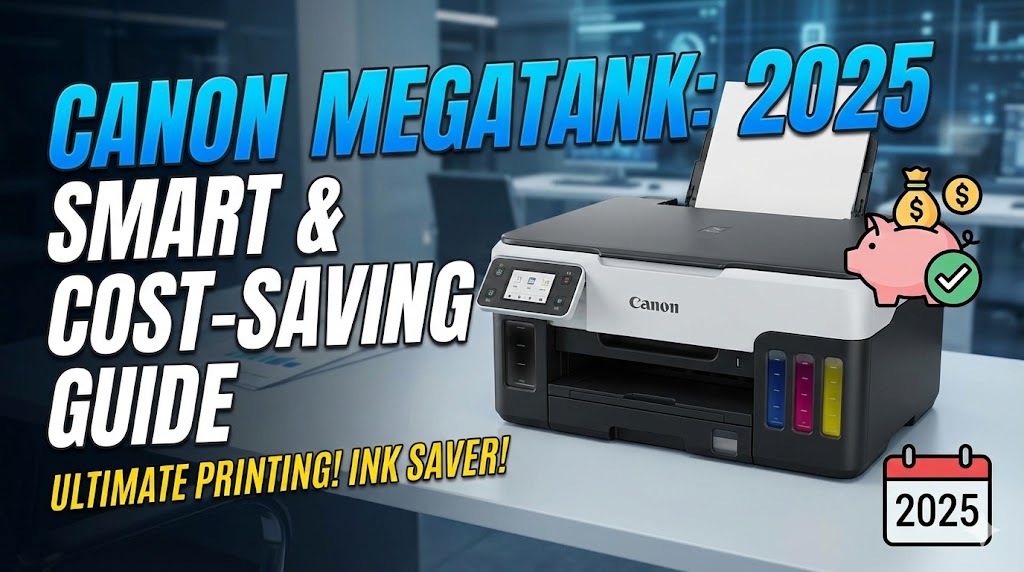
Tired of constantly buying expensive ink cartridges? The Canon MegaTank printer is revolutionizing how we think about home and office printing. Instead of traditional cartridges, these innovative printers use refillable ink tanks that can print thousands of pages before needing a refill.
Canon MegaTank printers have become incredibly popular for one simple reason: they save you serious money. We’re talking about printing costs that are up to 80% lower than standard cartridge-based printers. Whether you’re a student printing assignments, a parent managing homework, or a small business owner, understanding how MegaTank technology works can transform your printing experience.
In this complete guide, you’ll discover what makes Canon MegaTank printers special, how to choose the right model, and tips to get the most value from your investment. Let’s dive in.
What Is a Canon MegaTank Printer?
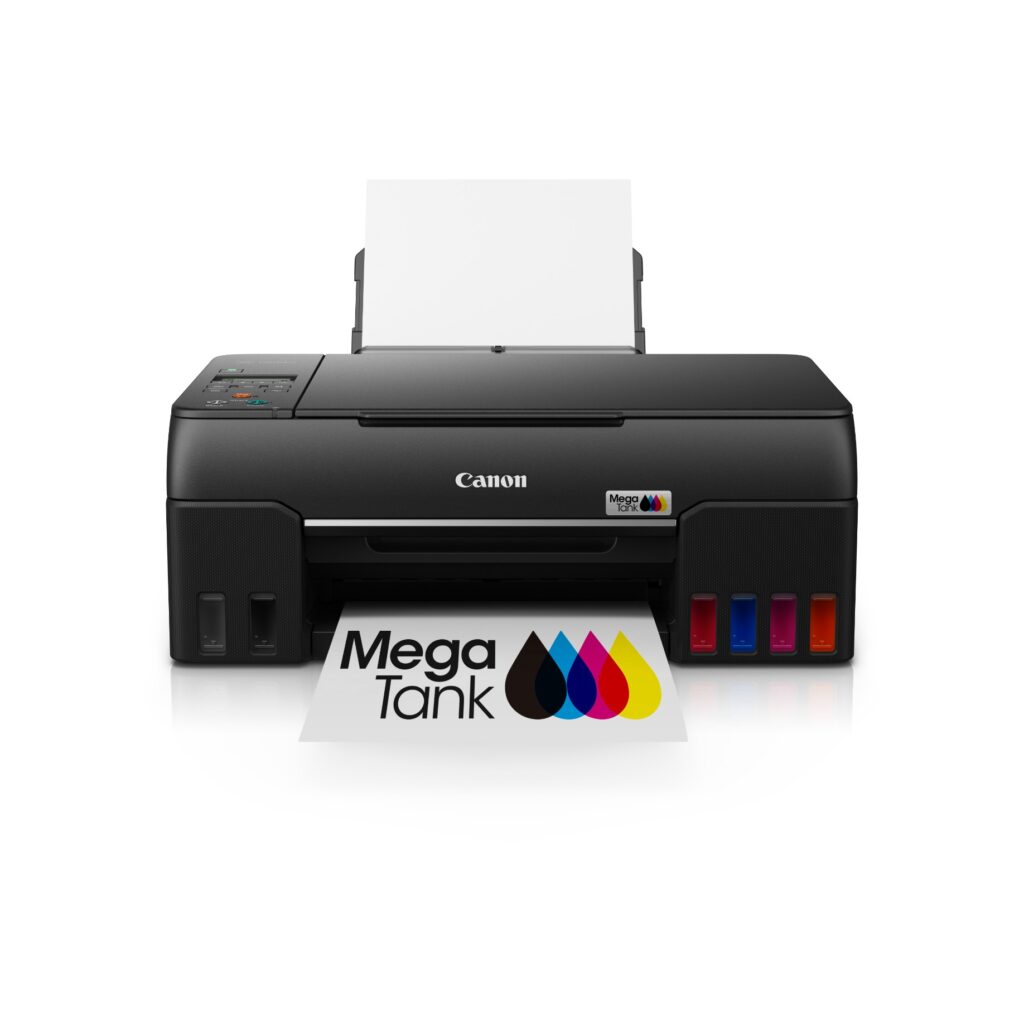
A Canon MegaTank printer is an inkjet printer that uses large, refillable ink tanks instead of traditional cartridges. Think of it as having a gas tank instead of a disposable battery for your printer.
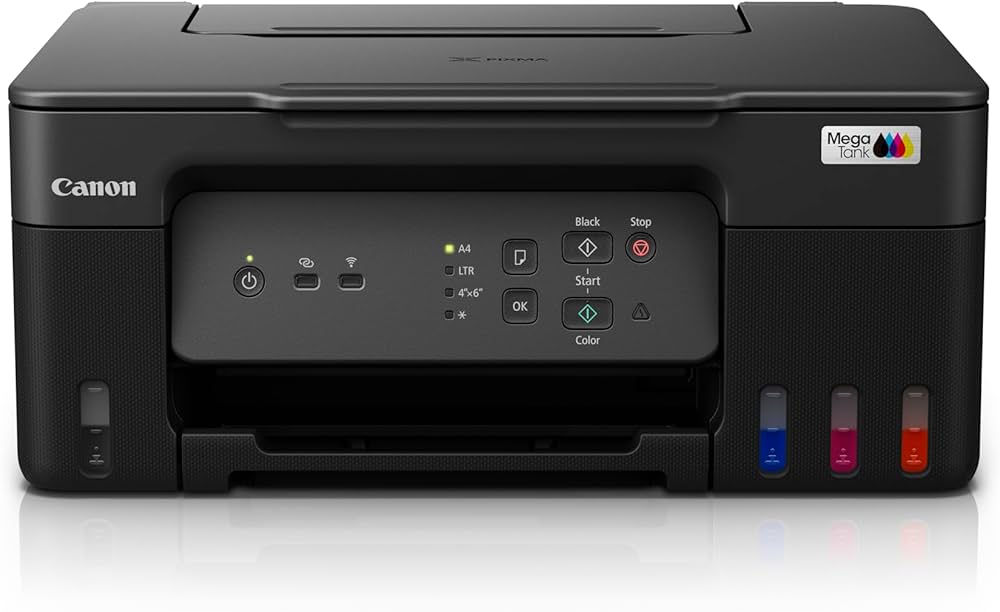
The technology is straightforward. Instead of small cartridges that hold maybe 5-10ml of ink, MegaTank printers have built-in reservoirs that hold 70-135ml per color. You can see the ink levels through transparent windows on the front or side of the printer.
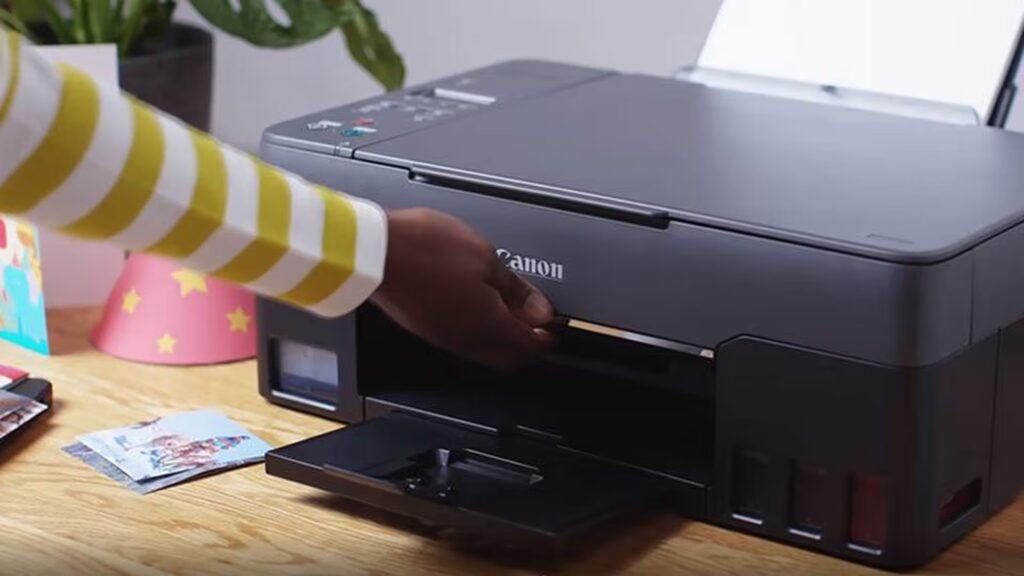
When ink runs low, you simply pour refill bottles into the appropriate tanks. No complicated cartridge removal. No expensive replacements every few weeks. Just open, pour, and keep printing.
Canon launched the MegaTank line (officially called PIXMA G-series) to compete with similar tank systems from Epson and HP. The main difference? Canon’s MegaTank printers focus on delivering both high capacity AND excellent print quality, especially for photos.
These printers work for everything: documents, photos, school projects, and business materials. The ink tank system doesn’t limit functionality. You still get wireless printing, scanning, copying, and all the features you’d expect from a modern printer.
The average Canon MegaTank printer can produce 6,000 black pages and 7,700 color pages from one set of bottles. Compare that to maybe 200-300 pages from standard cartridges, and you’ll understand why people are making the switch.
8 Compelling Reasons to Choose a Canon MegaTank Printer
Reason 1: Massive Cost Savings on Ink
This is the biggest advantage. Let’s talk numbers.
Traditional inkjet cartridges cost $15-$40 each and print maybe 200-400 pages. If you print 100 pages monthly, you’re buying cartridges every 2-4 months. That’s $120-$200 yearly just on ink.
A Canon MegaTank printer uses replacement ink bottles that cost $13-$18 per bottle. One set of four bottles (around $70 total) lasts for years of typical home use. Your per-page cost drops from $0.15-$0.20 down to $0.01-$0.02.
Over five years, that’s a difference of $800-$1,000 in savings. The printer pays for itself in the first year for moderate users.
Reason 2: High Page Yields Mean Less Maintenance
Running out of ink at the worst possible moment is frustrating. With a Canon MegaTank printer, those emergencies become rare.
The initial ink bottles that come with new MegaTank printers provide:
- Up to 6,000 black and white pages
- Up to 7,700 color pages
That’s roughly 2-3 years of printing for average households. Students can print entire semesters without refilling. Small businesses can handle monthly reports and invoices without constantly monitoring ink levels.
You’ll spend less time shopping for ink and more time actually being productive.
Reason 3: Easy, Mess-Free Refilling
Many people worry that refillable tanks are messy. Canon solved this problem brilliantly.
Each ink bottle has a specially designed spout that only fits into the correct color tank. You physically can’t pour black ink into the cyan tank, for example. The bottles also have a keyed design that prevents spills.
The refilling process takes about 2 minutes:
- Open the ink tank cover
- Remove the cap from the bottle
- Insert the bottle into the matching tank
- Squeeze gently (the bottle automatically stops when full)
- Close the cover
No syringes. No mess. No complicated procedures. If you can pour juice from a bottle, you can refill a Canon MegaTank printer.
Reason 4: Excellent Print Quality for Photos and Documents

Some people assume tank printers sacrifice quality for cost savings. That’s not true with Canon MegaTank printers.
Canon uses the same print head technology in MegaTank models as their premium cartridge printers. The dye-based inks produce vibrant colors and smooth gradients perfect for photos.
Print resolution goes up to 4800 x 1200 dpi on many models. That’s sharp enough for professional-looking presentations, marketing materials, and frame-worthy family photos.
Document printing is equally impressive. Text comes out crisp and dark, making contracts, reports, and schoolwork look polished and professional.
Reason 5: Wireless and Mobile Printing Features
Modern Canon MegaTank printers aren’t stuck in the past. They include all the connectivity features you expect.
Most models offer:
- Wi-Fi connectivity for wireless printing
- Canon PRINT app for smartphone printing
- AirPrint support for Apple devices
- Mopria compatibility for Android
- Cloud printing from Google Drive and Dropbox
You can print photos directly from your phone at a party. Students can print assignments from their laptop in bed. Remote workers can print contracts from their tablet.
The MegaTank system doesn’t limit your connectivity options at all.
Reason 6: All-in-One Functionality
Many Canon MegaTank printer models are all-in-one devices that handle multiple tasks.
Beyond printing, you get:
- Scanning: Digitize documents, receipts, and old photos
- Copying: Make duplicates without a computer
- Fax (select models): Some business-oriented models include fax capability
The flatbed scanner handles documents up to letter/A4 size. Scan resolution typically reaches 600 x 1200 dpi, which is perfect for archiving paperwork or creating digital backups.
Having one machine handle all these tasks saves desk space and money compared to buying separate devices.
Reason 7: Environmentally Friendly Design
If you care about reducing waste, Canon MegaTank printers are a smart choice.
Traditional cartridges create tons of plastic waste. Even with recycling programs, most cartridges end up in landfills. Americans alone throw away 375 million cartridges annually.
With a Canon MegaTank printer, you’re using the same tanks for the printer’s entire lifespan. Replacement bottles use minimal plastic compared to cartridges. You’re reducing waste by roughly 90% over the printer’s life.
Some Canon models also feature automatic duplex (two-sided) printing, which cuts paper consumption in half.
Reason 8: Reliable Performance for High-Volume Printing
Home businesses and busy families need printers that can keep up. Canon MegaTank printers deliver consistent performance even with heavy use.
The continuous ink supply system means print quality stays consistent from the first page to the 6,000th page. There’s no degradation as ink levels drop like you sometimes see with cartridges.
Print speeds are respectable too. Most MegaTank models print 10-13 pages per minute for black and white, 6-7 ppm for color. Not the fastest on the market, but perfectly adequate for home and small office needs.
The duty cycle (recommended monthly page volume) ranges from 1,000-12,000 pages depending on the model, which covers most non-industrial printing needs.
Additional Tools and Features of Canon MegaTank Printers
Understanding the extra capabilities helps you maximize your Canon MegaTank printer investment.
Canon PRINT App: This free mobile app is incredibly useful. Beyond basic printing, it lets you check ink levels remotely, access cloud services, and even scan documents using your phone’s camera. The app walks you through maintenance tasks with visual guides.
Quiet Mode: Several MegaTank models include a quiet mode perfect for home offices or bedrooms. Print speed slows slightly, but noise drops to library-level quiet. Great for late-night studying or early morning work sessions.
Borderless Photo Printing: Most Canon MegaTank printers support borderless printing up to 8.5 x 11 inches. Print professional-looking photos without white edges. Some models handle larger sizes with optional paper trays.
Auto Document Feeder (ADF): Higher-end MegaTank models include an ADF that holds 20-35 sheets. This is fantastic for scanning or copying multi-page documents without manual feeding. Save massive time on large projects.
LCD Display: Many models feature 1.5 to 3-inch color LCD screens. Navigate menus easily, preview photos before printing, and perform maintenance directly from the printer without needing a computer.
According to Canon’s official support page, regular use of the printer keeps the ink flowing properly and prevents clogs. They recommend printing at least once weekly, even if just a test page.
Common Mistakes and Troubleshooting Your Canon MegaTank Printer
Even the best Canon MegaTank printer can have issues if not used correctly. Here’s what to avoid and how to fix problems.
Mistake 1: Letting the Printer Sit Unused for Weeks
Ink can dry in the print head if the printer isn’t used regularly. This causes streaks, missing colors, or blank pages.
Solution: Print something at least once a week. Even a simple test page keeps ink flowing and prevents clogs. If you’re traveling, run a maintenance cycle before leaving.
Mistake 2: Using Third-Party or Refill Ink
Tempting as it is to save a few dollars, non-Canon ink causes problems. Poor quality ink clogs print heads, produces bad colors, and can void your warranty.
Solution: Always use genuine Canon GI-series ink bottles. They’re already cheap compared to cartridges. Don’t risk your printer to save $5 per bottle.
Mistake 3: Ignoring Low Ink Warnings
Running a tank completely dry introduces air bubbles into the system. This causes printing errors and requires extensive cleaning cycles.
Solution: Refill tanks when they reach about 20% capacity. The transparent tanks make this easy to monitor. Keep spare bottles on hand so you’re never caught empty.
Mistake 4: Storing Ink Bottles Improperly
Ink bottles left in hot cars or direct sunlight can degrade. Frozen ink can separate and become unusable.
Solution: Store unopened ink bottles at room temperature in a dark place. A closet or drawer works perfectly. Check expiration dates—Canon ink typically lasts 2 years unopened.
Mistake 5: Skipping Printhead Cleaning
Print heads need occasional maintenance to stay clear. Neglecting this causes poor print quality over time.
Solution: Run the automatic printhead cleaning cycle through the printer menu every few months or whenever you notice quality issues. Your Canon MegaTank printer has built-in cleaning functions—use them.
Troubleshooting: Streaky or Faded Prints
If prints look bad even with full ink tanks, try these steps in order:
- Run a nozzle check to identify which colors are clogged
- Perform a standard printhead cleaning cycle
- Wait 15 minutes, then run another nozzle check
- If problems persist, run a deep cleaning cycle
- As a last resort, manually clean the printhead with distilled water
Troubleshooting: Printer Not Recognized by Computer
Connection issues are common but usually simple to fix:
- Restart both the printer and computer
- Check that both devices are on the same Wi-Fi network
- Reinstall the printer driver from Canon’s website
- Try connecting via USB cable to isolate wireless issues
- Disable firewall temporarily to see if it’s blocking the connection
Troubleshooting: Ink Levels Not Updating
Sometimes the printer doesn’t recognize refills correctly.
- Turn off the printer completely
- Remove and reseat the ink tank caps
- Power on and run a nozzle check
- Reset the ink level counter through the maintenance menu
Frequently Asked Questions (FAQs)
Q1: How much does a Canon MegaTank printer cost compared to regular printers?
Canon MegaTank printers typically cost $200-$400 upfront, which is more than basic cartridge printers at $50-$100. However, MegaTank printers include enough ink for 6,000-7,700 pages. The equivalent ink for regular printers would cost $600-$1,000. You save money within the first year of moderate use.
Q2: Can I use any ink in my Canon MegaTank printer?
No, you should only use genuine Canon GI-series ink bottles designed for MegaTank printers. Each model uses specific ink formulations. Using third-party or universal inks can damage the printhead, cause poor print quality, and void your warranty. Canon ink is already affordable, so the risk isn’t worth minimal savings.
Q3: How long does ink last in a Canon MegaTank printer?
Unopened Canon ink bottles last about 2 years when stored properly. Once opened and poured into the printer, the ink remains usable indefinitely as long as you print regularly (at least weekly). The ink doesn’t “expire” in the tank, but print heads can clog from disuse.
Q4: Which Canon MegaTank printer model is best for home use?
The Canon PIXMA G3270 or G4270 are excellent for most homes. They offer wireless printing, scanning, copying, and auto duplex printing. The G6020 or G7020 are better if you need an automatic document feeder for multi-page scanning. For photo enthusiasts, the G620 MegaTank offers superior photo quality with five ink colors instead of four.
Q5: Do Canon MegaTank printers work with Mac and Chromebook?
Yes, Canon MegaTank printers are compatible with Windows, Mac, iOS, Android, and Chromebook. They support AirPrint, Mopria, and Google Cloud Print. Download the appropriate driver from Canon’s website for your operating system, or use the built-in wireless printing features on mobile devices.
Conclusion
The Canon MegaTank printer represents a smart evolution in home and small office printing. By switching from expensive cartridges to affordable refillable tanks, you’re making a decision that saves money, reduces waste, and eliminates constant ink shopping trips.
Whether you’re comparing models or already own one, remember these key points: use genuine Canon ink, print regularly to prevent clogs, and take advantage of the wireless features that make modern printing convenient.
With page yields reaching 6,000-7,700 pages and ink costs dropping to pennies per page, Canon MegaTank printers deliver exceptional value. The initial investment pays for itself within a year for most users, then continues saving money for years to come.
Ready to upgrade your printing experience? A Canon MegaTank printer might be the last printer you need to buy for the next 5-10 years. That’s what I call a smart investment.
Have questions about specific Canon MegaTank printer models? Drop a comment below and let’s find the perfect fit for your needs!
How to Install Printer Drivers: Ultimate Guide for Hassle-Free Setup in 2025 Read More