Introduction
Need to print documents but don’t have a printer at home? You’re not alone. Many people search for “how to find printing services near me” when they need to print resumes, school projects, business cards, or important papers quickly.
Finding a reliable local printing service doesn’t have to be complicated. Whether you need color copies, large format prints, or just a few black-and-white pages, there are multiple ways to locate print shops in your area.
This guide will show you exactly how to find printing services near you. You’ll learn about different search methods, what to look for in a print shop, and how to get the best results for your printing needs.
What Are Printing Services?
Printing services are businesses that offer professional printing solutions to individuals and companies. These services range from basic document printing to specialized jobs like banners, posters, and marketing materials.
Local print shops typically provide services such as:
- Black and white copying
- Color printing
- Binding and laminating
- Photo printing
- Business cards and flyers
- Large format printing
Most printing services charge per page or per project. Some offer self-service options where you can print documents yourself, while others handle everything for you.
These services exist because not everyone owns a printer. Even people who do own printers sometimes need professional quality or large quantities that home printers can’t handle efficiently.
5 Simple Ways to Find Printing Services Near You

Method 1: Use Google Maps
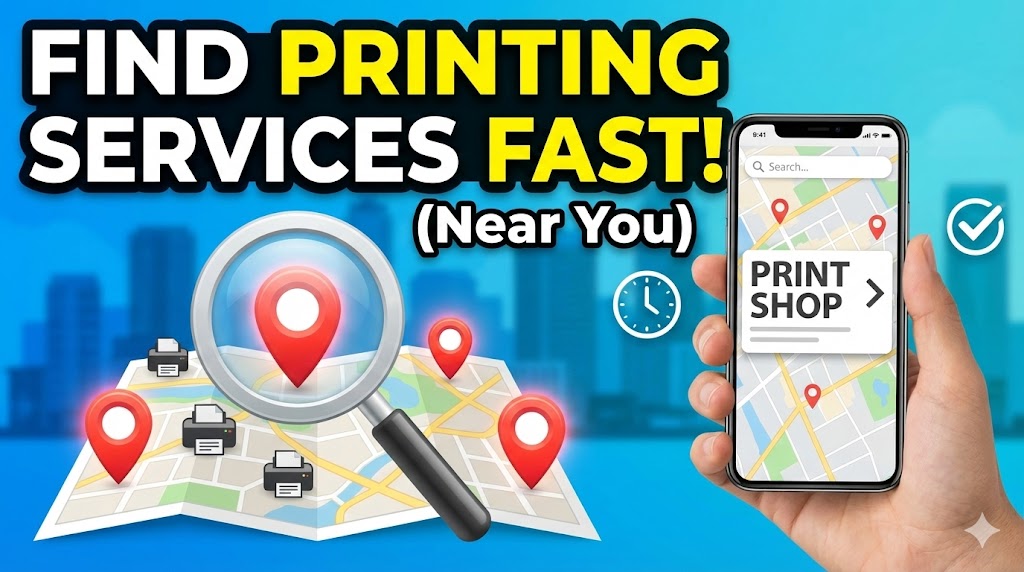
Google Maps is the fastest way to find printing services near me.
Step 1: Open Google Maps on your phone or computer.
Step 2: Type “printing services near me” or “print shop near me” in the search bar.
Step 3: Look at the results. Google will show you a map with red markers indicating nearby print shops.
Step 4: Click on any location to see details like address, phone number, hours, and customer reviews.
Step 5: Check the reviews and ratings. Look for shops with 4 stars or higher.
Google Maps also shows you the distance from your current location. This helps you pick the closest option.
Method 2: Search Online with Specific Keywords
Use your web browser to search for local printing options.
Step 1: Go to Google or any search engine.
Step 2: Type phrases like “print shop near me,” “copy center nearby,” or “document printing services in [your city name].”
Step 3: Browse through the results. The first few listings are usually local businesses.
Step 4: Visit their websites to check services and prices.
Step 5: Look for special offers or coupons on their websites.
Many print shops offer online ordering. You can upload your files and pick them up later.
Method 3: Visit Retail Stores with Print Centers
Several big retail chains have printing services inside their stores.
Popular options include:
- Staples: Offers both self-service and full-service printing.
- FedEx Office: Provides professional printing and shipping.
- Office Depot/OfficeMax: Has print centers with various services.
- UPS Store: Offers printing, copying, and binding services.
These stores are convenient because they’re often located in shopping areas. They have extended hours and trained staff to help you.
You can walk in without an appointment. Most locations also let you email files ahead of time.
Method 4: Use Mobile Apps
Download apps that help you find and order from nearby printing services.
PrinterOn and HP Smart are popular options. These apps let you:
- Find nearby print locations
- Upload documents from your phone
- Pay through the app
- Pick up prints without waiting
Some public libraries also have apps. You can send documents to their printers and collect them during library hours.
Mobile apps save time. You don’t need to carry a USB drive or email files.
Method 5: Check Local Libraries and Community Centers
Public libraries often provide free or low-cost printing services.
Step 1: Visit your local library’s website.
Step 2: Look for the “Services” or “Resources” section.
Step 3: Check their printing policy and prices.
Step 4: Visit the library with your document on a USB drive or send it via email if they allow.
Libraries usually charge very low rates—often just 10 to 25 cents per page. This is perfect for students and people on a budget.
Community centers and universities also offer printing services. If you’re a student, check your school’s computer lab.
Extra Tips and Best Practices

Compare Prices Before You Print
Different shops charge different rates. Call ahead or check websites to compare.
Black and white copies typically cost 10 to 15 cents per page. Color printing costs 50 cents to $1 per page. Large format prints are more expensive.
Prepare Your Files Properly
Save your documents as PDF files. This ensures they print correctly without formatting issues.
Make sure your file is clear and high-resolution if you’re printing photos or graphics.
Ask About Bulk Discounts
If you need to print many copies, ask about volume discounts. Most print shops offer better rates for large orders.
Use Online Tools for Convenience
Websites like HP Print and Epson Connect let you send print jobs remotely. This saves you time at the shop.
Check Equipment Quality
When visiting a new print shop, check if they use professional-grade printers. This ensures good quality output.
Look for shops that use brands like HP, Canon, Epson, or Xerox. These produce reliable results.
Common Mistakes to Avoid
Mistake 1: Not Checking File Format
Always save documents as PDF. Word documents might look different when opened on another computer.
If you bring a Word file, the formatting could change. This wastes time and money on reprints.
Mistake 2: Ignoring Print Settings
Tell the staff exactly what you need. Specify:
- Paper size (letter, legal, A4)
- Color or black and white
- Single or double-sided
- Number of copies
Clear instructions prevent printing errors.
Mistake 3: Not Reading Reviews
Don’t just pick the closest shop. Read customer reviews first.
Bad reviews about slow service or poor quality are red flags. Choose shops with consistent positive feedback.
Mistake 4: Forgetting to Bring Payment
Most print shops accept cash and cards, but some smaller locations might be cash-only.
Call ahead to confirm payment methods. This saves you an extra trip.
Mistake 5: Waiting Until the Last Minute
Don’t assume a print shop can complete your job immediately. Complex projects take time.
For important documents like resumes or presentations, go at least one day early. This gives you time to fix any issues.
Mistake 6: Not Asking for a Sample
For large print jobs, ask for a test print first. This lets you check colors and quality before printing everything.
A single test page costs very little but can save you from wasting money on bad prints.
Frequently Asked Questions
Q1: How much does it cost to print at a local shop?
Basic black and white printing costs 10 to 15 cents per page. Color printing costs 50 cents to $1 per page. Specialty services like binding cost extra.
Q2: Can I print documents from my phone?
Yes. Many print shops accept files via email or mobile apps. You can also use cloud storage links to share your documents.
Q3: Do I need an appointment to use printing services?
Most print shops accept walk-ins. However, for large or complex jobs, calling ahead is a good idea. This ensures they have time and materials ready.
Q4: What file formats do print shops accept?
PDF is the most reliable format. Most shops also accept Word documents, JPEGs, and PNG files. Always ask if you’re using a less common format.
Q5: Are library printing services free?
Most libraries charge a small fee, usually 10 to 25 cents per page. Some offer a few free pages per day for members.
Conclusion

Finding printing services near you is easier than ever. You can use Google Maps, search online, visit retail stores, download mobile apps, or check local libraries.
Each method has its advantages. Google Maps is quick for finding nearby options. Retail chains like Staples and FedEx Office offer convenience and reliability. Libraries provide budget-friendly printing.
Remember to compare prices, prepare your files properly, and read reviews before choosing a print shop. Avoid common mistakes like waiting until the last minute or not specifying print settings clearly.
Whether you need to print a resume for a job interview or create marketing materials for your business, local printing services can help. Follow the steps in this guide, and you’ll have your documents printed quickly and professionally.
Start your search today and find the perfect printing service in your area!
HP Printer Not Printing Anything: Ultimate Troubleshooting Guide Read More.