
Introduction
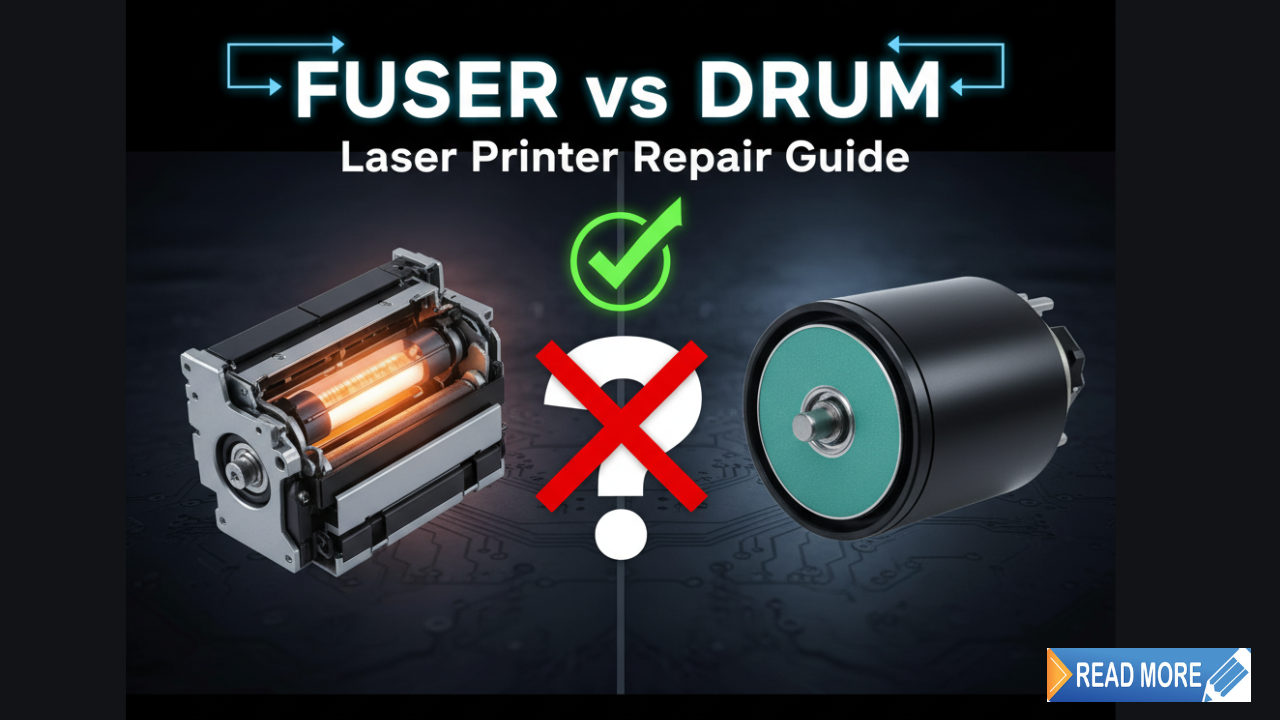
When your laser printer starts acting up, knowing the difference between fuser vs drum can save you hundreds of dollars in repairs. These two critical components work together to create crisp prints, but they serve completely different purposes. Many people struggle to identify which part needs replacement when print quality declines. This guide breaks down everything you need to know about these essential laser printer components, helping you troubleshoot issues and make smart replacement decisions without technical jargon.
What Is a Fuser and What Is a Drum?
Understanding the Drum Unit
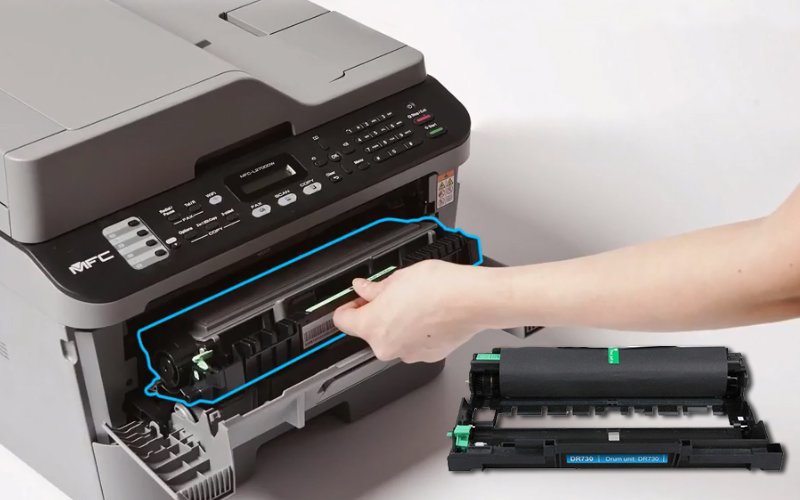
The drum unit is a cylindrical component that transfers toner onto paper. Think of it as a temporary image carrier. When you send a print job, a laser beam writes your document onto the drum’s photosensitive surface. The drum then picks up toner particles and rolls them onto the paper.
Most drum units last between 10,000 to 50,000 pages depending on your printer model. They gradually wear down from constant contact with paper and toner.
Understanding the Fuser Unit
The fuser unit is the heating element that permanently bonds toner to paper. It uses heat and pressure to melt toner particles, creating that permanent print we expect. Without a working fuser, toner would simply smudge off the page.
Fuser units typically last longer than drums, averaging 50,000 to 200,000 pages. The high temperatures involved mean these components eventually break down and need replacement.
Key Differences Between Fuser vs Drum
The main difference is their function. The drum applies toner to paper, while the fuser melts it permanently. The drum operates at room temperature, but the fuser heats up to 200°C or higher. This fundamental difference affects how they fail and when they need replacement.
7 Clear Signs Your Fuser or Drum Needs Replacement
1. Vertical Lines or Streaks on Prints
Drum Issue: Consistent vertical lines, especially black streaks, indicate drum damage. The photosensitive coating may be scratched or worn in specific areas. These lines appear in the exact same spot on every page.
What to Do: Clean the drum surface gently with a soft cloth. If lines persist, the drum needs replacement.
2. Smudged or Unfixed Toner
Fuser Issue: If toner rubs off easily when you touch the page, your fuser is not heating properly. The toner never melted into the paper fibers, meaning the fuser has failed.
What to Do: Check if the fuser is warming up during printing. If pages come out cold or toner smudges easily, replace the fuser unit immediately.
3. Faded or Light Prints
Drum Issue: Gradual fading across the entire page suggests drum wear. The photosensitive surface loses its ability to hold toner effectively as it ages.
Fuser Issue: Inconsistent heating can also cause light prints, though this is less common.
What to Do: Replace the toner cartridge first. If fading continues, the drum likely needs replacement.
4. Wrinkled or Damaged Paper
Fuser Issue: Paper jams, wrinkles, or burn marks point directly to fuser problems. Worn fuser rollers cannot grip paper properly, and overheating fusers can scorch paper.
What to Do: Inspect the fuser rollers for visible wear or damage. Replace if you see cracks, glazing, or uneven surfaces.
5. Ghost Images or Double Printing
Drum Issue: Faint duplicate images appearing below the main print indicate the drum is not clearing properly between rotations. The previous image leaves a “ghost” on the drum surface.
What to Do: Clean the drum thoroughly. If ghosting continues, replace the drum unit.
6. Spots or Dots on Every Page
Drum Issue: Repetitive spots appearing at regular intervals suggest debris on the drum or physical damage to its surface. Measure the distance between spots to confirm it matches your drum circumference.
What to Do: Clean the drum carefully. If spots remain in the same pattern, replacement is necessary.
7. Error Messages or Warning Lights
Both Components: Modern printers track page counts and display warnings when components near their expected lifespan. Messages like “Replace Drum” or “Fuser Life Low” should be taken seriously.
What to Do: Check your printer’s page counter against manufacturer specifications for drum and fuser life.
Essential Tools and Tips for Replacement

What You’ll Need
Replacing either component requires minimal tools. Most jobs need only a screwdriver and clean workspace. Always power off and unplug your printer before starting any maintenance.
Safety Precautions
Fusers remain hot for 30 minutes after printing. Always wait for complete cooling before touching internal components. Wear gloves when handling drums, as skin oils can damage the photosensitive surface.
Where to Buy Quality Parts
Purchase OEM (Original Equipment Manufacturer) parts when possible for best results. Compatible third-party parts cost less but may reduce print quality or lifespan. Reputable suppliers like Precision Roller offer both OEM and compatible options with detailed compatibility information.
Average Costs
Drum units typically cost between $50 and $150 for home printers, while office printer drums range from $150 to $400. Fuser units are more expensive, starting at $100 for small printers and reaching $500 or more for high-volume office models.
Common Mistakes and Troubleshooting Issues

Replacing the Wrong Component
The most expensive mistake is replacing a fuser when you needed a drum, or vice versa. Always diagnose the specific problem before ordering parts. Use the symptom guide above to identify which component has failed.
Ignoring Simple Fixes First
Before spending money on new components, try these quick fixes:
Clean Everything: Dust and toner buildup cause many print quality problems. Clean the drum, fuser area, and paper path thoroughly.
Replace Toner Cartridge: Low or defective toner cartridges mimic drum problems. Always test with a new cartridge first.
Check Printer Settings: Wrong paper type settings can cause fuser issues. Verify your printer settings match your paper.
Installing Components Incorrectly
Each component has a specific orientation and locking mechanism. Forcing parts into place damages both the component and printer. Always consult your printer manual for proper installation procedures.
Not Resetting Page Counters
After installing a new drum or fuser, you must reset the printer’s page counter. Otherwise, you will continue receiving replacement warnings even with new parts. The reset procedure varies by manufacturer, so check your manual.
Using Incompatible Parts
Not all drums and fusers work with every printer model. Even within the same brand, different models require different parts. Always verify part numbers match your specific printer model before purchasing.
Touching Drum Surface with Bare Hands
The photosensitive drum coating is extremely delicate. Fingerprints, oils, and scratches permanently damage the surface, creating print defects. Always handle drums by their ends or use clean gloves.
Ignoring Preventive Maintenance
Regular cleaning extends the life of both components. Vacuum toner dust monthly and wipe down the paper path. Clean environments reduce wear on drums and fusers significantly.
Frequently Asked Questions
Q: How often should I replace my drum vs fuser?
Drums need replacement every 10,000 to 50,000 pages, while fusers last 50,000 to 200,000 pages. Your printer manual provides exact specifications. Track your page count to predict replacement timing.
Q: Can I replace these components myself?
Yes, both components are user-replaceable in most laser printers. The process takes 10 to 30 minutes with basic instructions. Printer manufacturers design these parts for easy replacement without technical skills.
Q: Will using compatible parts void my warranty?
This depends on your printer manufacturer and warranty terms. Some manufacturers void warranties if you use third-party parts, while others do not. Check your warranty documentation or contact the manufacturer directly.
Q: Why is my printer still having issues after replacement?
If problems persist after replacement, you may have misdiagnosed the issue, installed the part incorrectly, or failed to reset the page counter. Verify proper installation and try resetting the printer to factory settings. If issues continue, another component may have failed.
Conclusion
Understanding fuser vs drum differences empowers you to maintain your laser printer effectively and avoid unnecessary repair costs. The drum transfers toner onto paper, while the fuser permanently bonds it using heat. Each component shows distinct failure symptoms, making diagnosis straightforward once you know what to look for. Regular maintenance extends component life, and timely replacement ensures consistent print quality. By following this guide, you can confidently identify which component needs attention and complete replacement yourself. Take action when you notice print quality issues rather than waiting for complete failure. Your prints and your budget will thank you.
Ink Absorption Issues on Glossy Photo Paper: Complete Troubleshooting Read More